Is lesson me hum windows machine (computer) me python Install karna sikhenge. yeh lesson python 3.6 ke installation par hai. I would like to suggest aap bhi apne windows machine me python 3.0 se higer version hi install kare.
Step 1: Download the Python 3 Installer
following link par click karo and “Files” heading show hone tak scroll down krte raho. waha aap python installer ke alag-alag version dekhoge jo aap download kar sakte ho.
link :- https://www.python.org/downloads/release/python-380/

Note – Agar aap windows ka 32-bit version use kar rahe hai to Windows x86 installer download kare and Agar 62-bit version use kar rahe hai to windows x86-64 installer download kare.
Step 2: Run the Installer
Installer donwload karne ke baad exe file ko Run karo.

Note :- Make sure Dialog box me bottom side diye gye dono Checkbox par On rahe.
Step 3 : Install Now par click karne ke baad Python installing shuru ho jayegi.

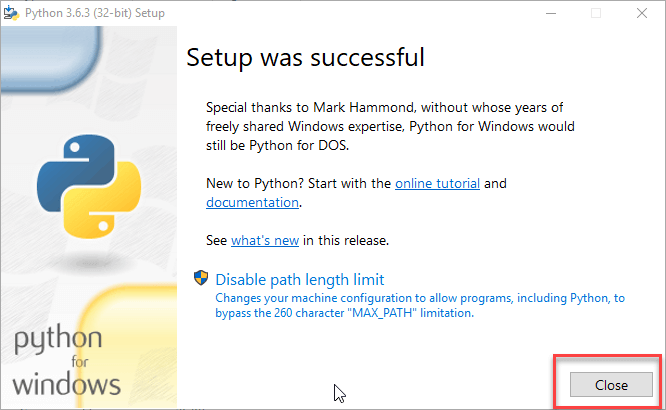
Step 4 : Installation finish hone ke baad aapko Setup successful ki screen show hogi… now click on Close.
Installation verify karne ke liye…. Command Prompt (cmd) ko open kare.. and following command ko enter kare..
C:\Users\V>python --version
Python 3.6.3
C:\Users\V> Learn Python Easy